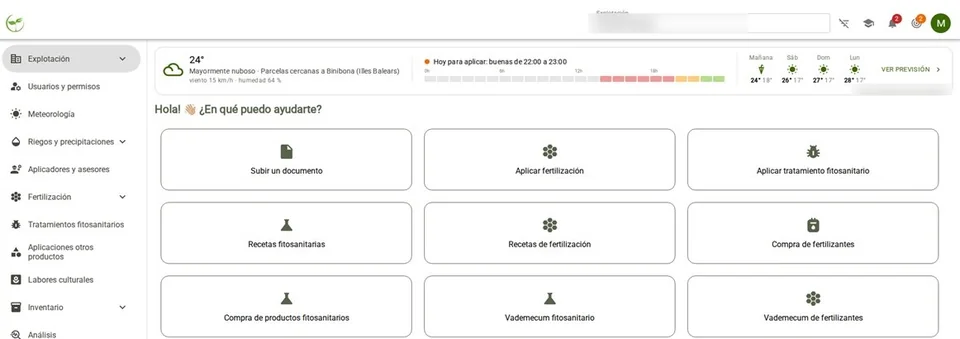
Start with the path that corresponds to your role. If you are an adviser, review farm creation, permissions and tracking agronomic prescriptions. If you are a farmer, check how to access the farm, send information and review your farm logbook.
The setup path includes organising parcels and crops, importing information from the REA and checking the data received. Afterwards, you can learn how to attach documents, record activities and export the farm logbook.
Each module explains what you need before starting, the steps the user takes and how to check the result. Classroom materials that require access are identified as such. To resolve an issue, indicate the step and the screen where it appears.
The following links provide access to the BrioAgro Farmlog training videos.
These videos explain the basic use of the platform, from the perspective of both the adviser and the farmer, including farm creation, data import, document management, plant protection and fertiliser agronomic prescriptions, exporting the farm logbook and the WhatsApp communication channel.
If you do not have a password to access the BrioAgro Farmlog training classroom, please contact Soraya García, who will provide you with access.
Training content
0. First steps with BrioAgro Farmlog from the Manager Panel.
- How an adviser creates a farm.
- How to enter a farm created by an adviser.
- Importing from the REA (Registro de Explotaciones Agrarias) (in Spanish). (password access)
- Adding documents. Registering parcels and crops from the SIGPAC. Certifications.
- Plant protection agronomic prescriptions. (in Spanish) (password access)
- Fertiliser agronomic prescriptions.
- Exporting the farm logbook in Word or PDF format.
- Using the WhatsApp channel between farmer and adviser.