Farmlog features

How to connect REA and SIEX with Farmlog

Import the REA (Spanish register of farms) and report farm logbook activities with Farmlog. Review pending data, synchronisation statuses and submission errors.

Reviewed on 19 November 2026

Request a demo ↗
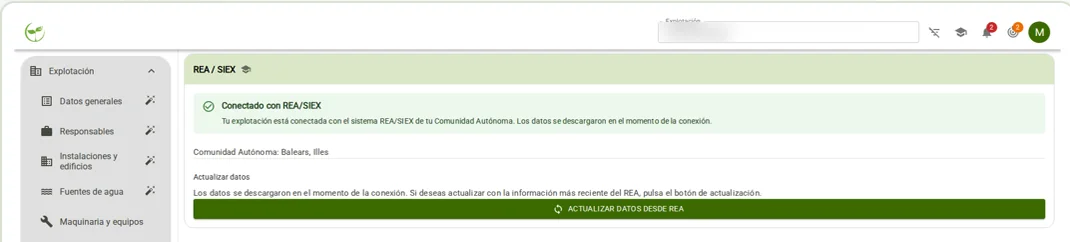
Farm connected with REA and SIEX in Farmlog
App screen in Spanish

Farmlog allows you to import REA data and report activities to the autonomous community's digital farm logbook. Access is granted using the identification accepted by the corresponding portal and the user's current authorisation.

After importing the farm, review the parcels and crops. The synchronisation screen shows pending activities and missing data. You can submit records, check their status and review the reason for any rejection. A submitted activity should not be confused with a successfully synchronised activity.

If you correct reportable data, Farmlog can flag it for submission again. Requirements depend on the activity and the autonomous community. Exporting the farm logbook in Word or PDF generates a document; reporting it to the Administration is a different process.

Keep exploring

The next step begins on your farm.

Tell us what you grow or how your advisory firm works. The team will help you assess the right solution.

FAQs

Request a demo for my advisory firm

BrioAgro's digital farm logbook connects farmers and advisory firms. From the WhatsApp message to the reviewed record, with your farm's information in one place.

Plans and licences

Tell us what you grow or how your advisory firm works. The team will help you assess the right solution.

Log in

Record field operations via WhatsApp and collaborate with your adviser from a digital logbook.

Let's talk about your project

1 / 2

We will use your data to process this request.

CallRequest a demo ↗